
Bringing Christ to the world through the media

Relevant Radio Beta App Program
Share your feedback right in the app.
You’re a Beta App tester — your feedback is what tells us what’s working and what’s not, before these features reach everyone else.
Everything takes about one minute — all inside the Beta App
Follow the steps below to submit your feedback through the Beta App.
1
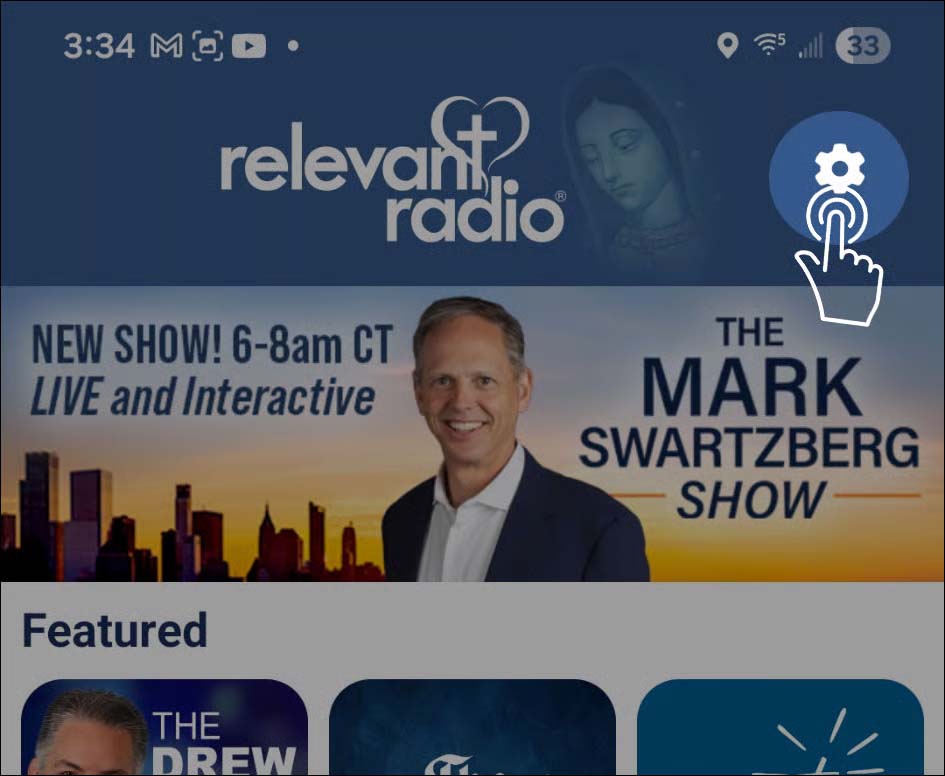
Open the app and tap the Settings gear icon in the upper right corner.
2
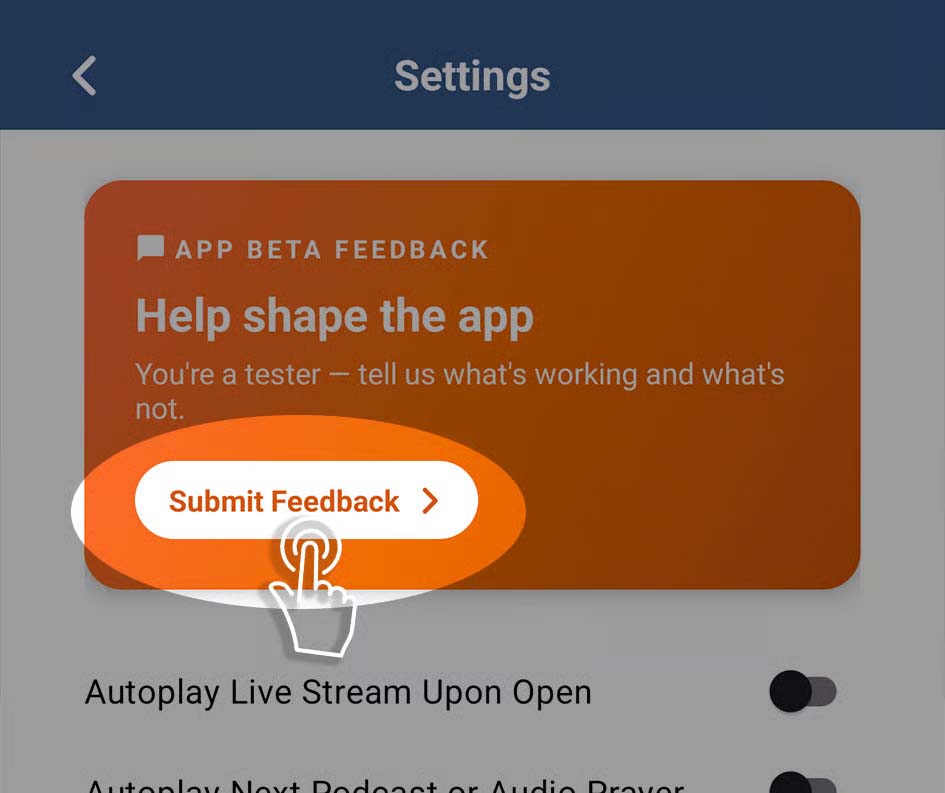
Tap the “Submit Feedback” button.
3
Fill out the short form and tap the “Send Feedback” button.

Give Feedback
Feedback is shared right in the app. Open the Relevant Radio Beta App on your phone to send yours — it takes about a minute.
As a Beta App tester, you’re shaping the app for everyone who comes next.
Every comment you submit helps us improve the app before these features are released to everyone. Your device and app version are included automatically to help us debug.